Microsoft 365 Copilot

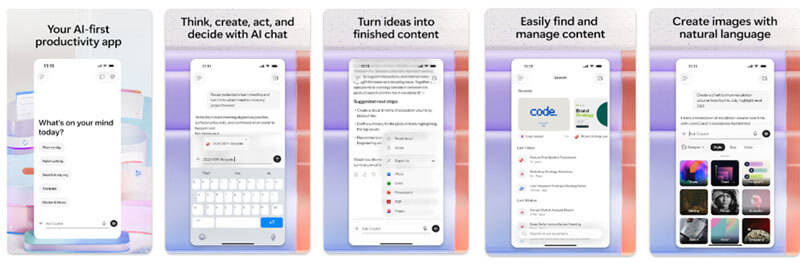
Efficiency and productivity are essential in the constantly shifting world of work. Rising out of Microsoft 365 Copilot is an innovative artificial intelligence program meant to easily incorporate sophisticated AI capabilities into the well-known collection of Microsoft Office products. From writing papers and evaluating data to running communications and producing presentations, this essential aide aims to transform the way businesses and professionals engage with their everyday responsibilities. Copilot seeks to simplify workflows, automate repetitive tasks, and promote improved cooperation by utilizing the power of generative AI directly inside apps such as Word, Excel, PowerPoint, and Outlook, therefore enabling more effective and easier daily work.
Intelligent Writing in Word
Microsoft 365 Copilot completely changes how documents are created and edited in Word. Its main advantage is that it can create excellent content in response to user prompts. Imagine having to write a lengthy report; Copilot can write whole sections, improve grammar, propose more powerful phrasing, and even change the tone and flair of the material to fit its goal. Professionals that work with long documents will find great value in the ability to produce short summaries or retrieve important ideas without compromising accuracy. This capability is especially useful for jobs such as drafting legal contracts, developing business proposals, or writing formal correspondence, where accuracy and professionalism are absolutely non-negotiable. Copilot helps users concentrate on the strategic elements of their work by cutting the time spent on fundamental writing and repeated editing.

Advanced Excel Data Analysis
For those who grapple with the subtleties of numerical data, Microsoft 365 Copilot in Excel presents a major advancement in analytical power. The AI is very good at handling very large datasets. Users can submit sophisticated calculations using natural language, therefore enabling faster and more approachable data alteration. In a matter of seconds, Copilot can instantly detect patterns, create insightful graphs, and execute predictive analysis. Beyond analysis, it serves as a watchful editor, pointing out data contradictions, suggesting spreadsheet improvements, and delivering practical insights developed from noted patterns and important indicators. This allows financial analysts, researchers, accountants, and any data-dependent practitioner to get more value out of their data with less manual work.
Creating Powerful PowerPoint Presentations
Microsoft 365 Copilot simplifies the usually drawn-out process of developing captivating PowerPoint presentations. From a basic text description, the AI can conceptualize and arrange presentation material, choose suitable graphics, use aesthetically pleasing layouts, and propose seamless slide transitions. It guarantees that vital messages are clearly conveyed by condensing dense material into understandable bullet points. For executives needing to present key results, teachers creating lectures, students working on academic assignments, and marketers creating campaign materials, this tool is revolutionary. Maintaining visual appeal and content quality, Copilot enables quick production of polished presentations.
Efficient Email Management with Outlook
Microsoft 365 Copilot will greatly improve the communication and inbox management capabilities of Outlook users. The application may create contextually appropriate replies, automatically compose emails, and appropriately arrange incoming messages. By giving fast response choices and prioritizing key emails, Copilot supports users in more efficiently managing their communication flow. Its analytical ability can help to find important information in long email threads and provide short summaries, which makes it easier to make decisions quickly and with more knowledge without having to go through every message in great detail. This turns Outlook into a much more powerful tool for professional communication and time management.
Constant Optimization Through Machine Learning
The use of machine learning to drive continuous improvement is a crucial component of Microsoft 365 Copilot’s inventiveness. The AI learns and adjusts to each user’s unique work habits, writing style, and formatting preferences as they interact with it. This constant learning process guarantees Copilot’s recommendations get more and more precise and fit to every user’s particular needs. This dynamic version lets you tailor a great deal, therefore increasing efficiency and reducing the work needed for regular and repetitive activities. The AI develops in lockstep with the user to become a really customised productivity assistant.